Wearables
Surf Face
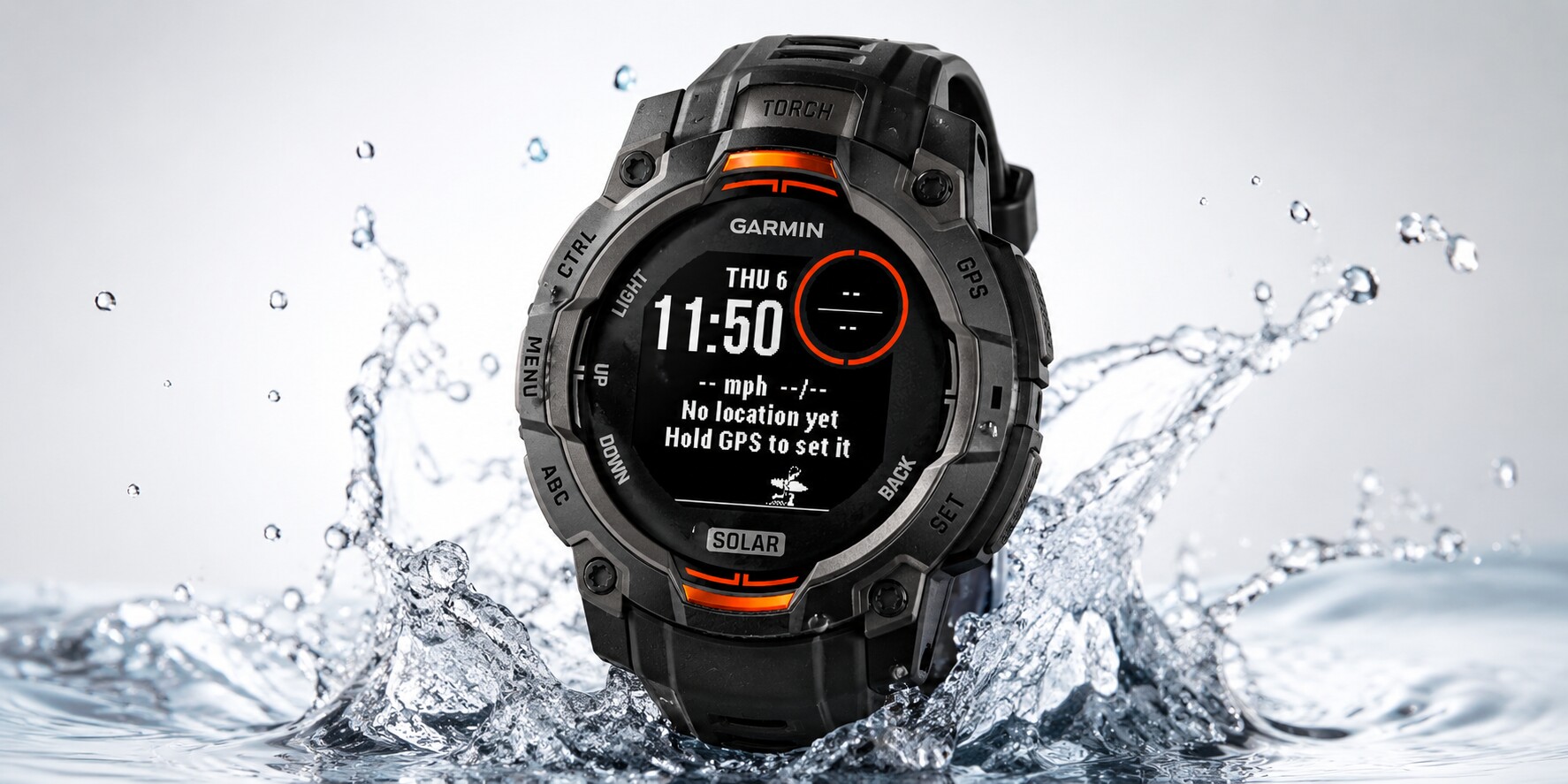
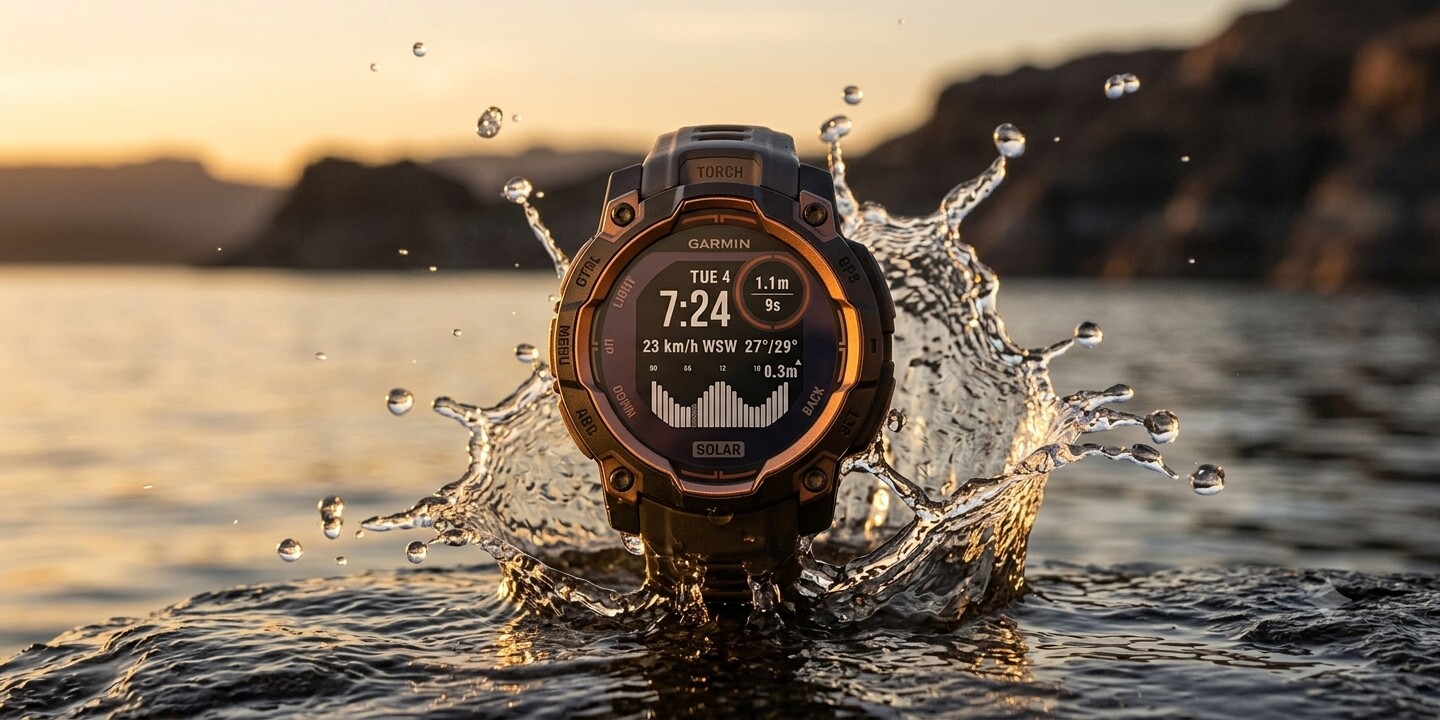
A Garmin watch face that puts live wave, tide, and wind conditions on your wrist.
Overview & Context
Surfers check conditions obsessively before a session — wave height, tide, wind direction — usually by pulling out a phone and opening two or three different apps. A watch face is the right form factor: always visible, no unlocking, no app-switching.
A few surf-condition watch faces already existed on the Connect IQ Store, but every one had the same problem: they crammed tide tables, swell period, wind speed, moon phase, and water temperature onto a screen the size of a coin, with no hierarchy or editorial judgment — technically impressive, close to unreadable at a glance. Most also required real technical setup: generate an API key from a third-party service, then manually enter it into the watch settings. A non-starter for someone who just wants to know if it’s worth paddling out.
The other catch is that a watch face isn’t a normal software product — it’s an embedded one, running on a small always-on display with no persistent connection and background execution the OS can silently kill at any time. A far more constrained environment than a mobile app, and the source of most of the hard problems below.
My Role & Constraints
Sole designer and developer — concept, every product and UX decision, and the full build on Garmin’s Connect IQ SDK (Monkey C). No team, no brief, no existing pattern library to lean on for a product category I hadn’t designed for before. Every decision, down to the exact wording of a two-line error message, was made and then verified against real hardware — the simulator alone repeatedly turned out to hide real behavior.

The Problem
Two problems, tangled together. The data problem: wave/tide data and weather data come from separate API calls, and the watch’s background execution is unreliable enough that fetching both together routinely got killed mid-request. The trust problem followed from that — on a screen this small and this passive (glanced at, not tapped through), every state has to read instantly as “working as intended,” not “broken.” No data yet, partial data, stale data, and “I don’t know where you are” all needed distinct, honest treatment, or the whole thing feels unreliable even when it isn’t.
Key Decisions
Zero setup for the user. The first version I built required users to create an API token on a third-party surf data service, then copy it into the watch’s settings — exactly the kind of friction that kills adoption for a niche utility app. I shipped it as a beta and felt how bad it was immediately. Later I found a data source that pulls live surf and tide data without any registration or token at all: the user installs the watch face and it just works. Removing that onboarding barrier was the single biggest improvement to the product.
A self-balancing fetch schedule. Rather than one big request, the background service alternates between weather and marine data, always picking whichever one is more stale. It’s invisible to the user — both just stay roughly fresh — but it’s the piece that made the two-API architecture actually workable within the platform’s execution limits.
A location flow rebuilt around what real testing showed, not assumptions. GPS pickup, message wording (“Hold GPS,” not “Press,” since press opens an unrelated menu on this device), and exactly when a stale message should clear all went through multiple rounds of revision — each one triggered by watching the actual failure on my own wrist, not by reasoning about it in the abstract.
A walking-surfer animation as an honest “please wait” state. Rather than a static “loading” message, a small pixel-art surfer runs across the screen while there’s no real data yet. It sounds like decoration, but getting it right meant working within a hard 1-frame-per-second cap in low-power mode, making it survive the watch’s sleep/wake power transitions without resetting or vanishing mid-stride, and deciding — through several rounds of back-and-forth — exactly which “no data” states it should and shouldn’t appear in.
Treating data licensing as a product decision. The free weather API this runs on has real rate limits and a non-commercial use clause. Working out attribution requirements, the realistic user ceiling before hitting those limits, and what a paid tier would unlock wasn’t an afterthought — it directly shaped whether and how this could ever go from a personal project to a public Store listing.
Outcome
Live on the Connect IQ Store, with 100+ downloads. Every fix in the final release came from a self-run beta loop on my own device — real hardware surfaced bugs the simulator either couldn’t reproduce or actively masked.
What I’d Do Differently
Start real-device testing earlier and treat it as primary, not confirmation — several of the most meaningful bugs (an animation that silently died on a power-state transition, a location fix that could go stale before anything noticed) only ever showed up on the watch, never in the simulator. I’d also dig into Garmin’s Beta-vs-production app identity rules up front — discovering mid-flight that a Beta listing can’t just convert into a public one meant reissuing a new permanent app ID right before submission, which was avoidable with five minutes of research at the start.